
Server support and administration
We administer the Linux servers your sites and applications run on: web servers, databases, backups, updates, security and monitoring. The goal is a server nobody has to think about.

When you need a server administrator
Servers are usually set up once and left alone until something fails. By then the backups are old, the software is outdated and nobody remembers the passwords.
- Nobody has administered the server since it was set up
- You are not sure the backups exist or can be restored
- SSL certificates expire and visitors see browser warnings
- The server runs out of memory or disk under load
- Mail from your domain lands in spam or is not delivered at all
- You want to move to another hosting provider without downtime
What's included
Server administration
Linux, nginx and Apache, PHP-FPM and Node.js processes, configured for the load your sites actually get. The configuration is documented, so it does not live in one person’s head.
Databases
MySQL, MariaDB and PostgreSQL: tuning, slow query analysis, replication where it is needed and safe version upgrades.
Backups with tested restores
Automatic off-server backups of files and databases on a retention schedule. We restore from them regularly as a test, because an untested backup is not a backup.
Updates and security
Operating system and software updates, firewall rules, brute-force protection, key-only SSH access and removal of forgotten accounts.
Monitoring and alerts
Uptime, disk, memory, load and certificate expiry are monitored. Alerts are sent when the state changes, so they are read rather than muted.
Hosting moves
Sites, databases, mail and DNS moved between providers, with a final synchronisation right before the switch so no recent data is lost.

Backups you can actually restore from
Most backup problems are discovered on the day the backup is needed. Copies stored on the same server disappear with it, scripts silently stop running, and a database dump taken during writes turns out to be broken. We keep copies off the server, per site and with their databases, on a retention schedule you agree to, and check restores on a regular basis.
- Off-server backups of files and databases
- Retention you choose, for example daily, weekly and monthly copies
- Regular test restores
- A written restore procedure for each site

SSL, mail and DNS
The small services around a server cause a surprising share of outages. We set up automatic SSL renewal and monitor expiry dates separately, because renewal can fail silently. For mail we configure SPF, DKIM and DMARC, reverse DNS and TLS, so messages from your domain are delivered and not marked as spam. DNS zones are kept documented, which matters most when a domain or provider changes.
- Automatic SSL renewal with independent expiry monitoring
- SPF, DKIM and DMARC for your domains
- Mail server or forwarding set up and maintained
- DNS records documented and checked after every change
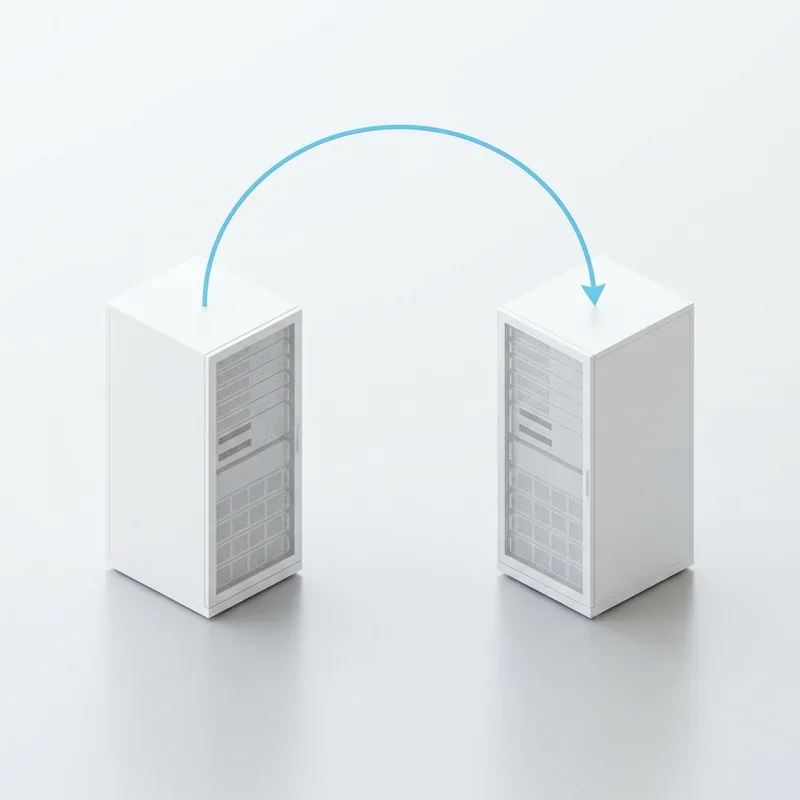
Moving to a new server or provider
A move is planned so that visitors do not notice it. We copy sites, databases, mail and scheduled jobs to the new server, test them there before DNS is switched, and synchronise the latest changes just before the switch. The old server stays available until the new one has run cleanly, so there is always a way back.
- Inventory of everything running on the old server
- Testing on the new server before DNS is switched
- Final synchronisation just before the switch
- The old server kept as a fallback until the move is confirmed
How server support starts
Server audit
We review what runs on the server, how it is configured, what is backed up and what is exposed. You get a list of risks in order of urgency.
Scope and access
We agree which servers and services are covered, the response time and how you want to be notified.
Stabilisation
Backups, monitoring and security basics are set up first, then the urgent issues from the audit are fixed.
Ongoing administration
Updates, monitoring, test restores and changes within the agreed scope, with a record of every change made.
What we administer
Operating systems
- Ubuntu
- Debian
- AlmaLinux
- CentOS
Web and application
- nginx
- Apache
- PHP-FPM
- Node.js
- PM2
Data
- MySQL
- MariaDB
- PostgreSQL
- Redis
Hosting, mail and panels
- Hetzner
- AWS
- Let's Encrypt
- Postfix
- Exim
- Dovecot
- aaPanel
- FastPanel
Ways to work with us
Monthly administration
Ongoing care of agreed servers: updates, backups, monitoring and fixes, for a fixed monthly price.
One-off project
A server audit, security hardening, backup setup or a move to another provider, as a fixed-scope task.
Hourly, on request
Occasional help with a specific problem or change, billed by the time spent.
Reviews
We treat each client and his project with love.

Revol team continues to streamline the client’s development capabilities through their high-quality work and reliable support. They communicate effectively and exhibit a strong understanding of the client’s needs and business.
Tomas


The work from Revol, have fully met expectations and satisfied the client. Their fresh approach and ability to remain available for support have been valuable assets. Customers can bring them on for a communicative, client-oriented team to achieve their goals with.
Andrey
Frequently asked questions
Which hosting providers do you work with?
Any provider that gives root or SSH access: dedicated servers, VPS and cloud instances. On shared hosting without server access we can support the site, but not the server itself.
Do you work with servers that use a control panel?
Yes, with panels such as aaPanel and FastPanel as well as with servers that have none. We know the typical problems these panels cause after updates and migrations and how to fix them.
Where are the backups stored?
Off the server, with a storage provider you choose, such as a separate storage box or object storage. The storage should be registered to you, so the backups are yours regardless of who administers the server.
Will the site be down during a move?
Normally not. Sites are tested on the new server before DNS changes, and the final synchronisation is short. Mail and applications with constant writes may need a brief planned window, which we agree with you in advance.
Do you need root access?
For full administration, yes. We connect with personal SSH keys rather than shared passwords, and you can revoke access at any time.
What response time do you offer?
It is agreed per server and depends on what runs on it. A server behind an online shop and a staging server do not need the same guarantees, and the price reflects the difference.
Tell us about your project
Describe the task in a few lines. Within one working day we reply with questions or a first view on scope and cost.
Prefer email or a call?
welcome@revolsource.com
+38 097 662 23 20
Revol Software OÜ, Tallinn, Estonia. Our team is distributed around the world.
Join our team
Send your CV to career@revolsource.com